
Best AI tools for kids are hard to choose when a simple search gives you forty-seven options across eight categories. You type ‘AI tools for kids’ into Google, scan the first result, and close the tab.
This article is not that list.
The AI tool landscape for children changes fast. New platforms launch monthly, free tiers get paywalled, and tools that were excellent six months ago get quietly discontinued. A list of forty-seven tools is not a resource. It is a snapshot that starts going out of date the moment it is published.
What stays useful is knowing how to think about the best AI tools for kids by age and purpose. That is what this guide gives you, alongside a specific set of tools that have demonstrated genuine educational value across different age groups. The tools are examples of the principle. The principle is what you keep.
What to Look for Before You Pick the Best AI Tools for Kids
One question separates the best AI tools for kids from merely entertaining ones: does this tool require my child to think, or does it think for them?
A tool that produces something impressive with minimal input from the child is a consumption tool. The child is an audience, not a creator. A tool that requires the child to make decisions, evaluate outputs, try again, and produce something that would not exist without their specific choices is a learning tool. The category the tool falls into depends less on the tool itself and more on how it is used and whether anyone is asking the child to explain what they did.
Before introducing any tool from a best AI tools for kids list to your child, three safety basics are worth knowing. COPPA restricts what platforms can collect from children under 13. Tools designed specifically for children are built around these restrictions. Tools designed for general audiences, including most AI chatbots, require a parent to create and manage the account for under-13s. That is not a reason to avoid them. It is a reason to set them up properly. Active parental supervision at this age is the right setup, not an obstacle to work around.
For parents who want to go deeper on the safety question before choosing the best AI tools for kids, the article on whether AI is safe for children covers that ground carefully.
“Does this tool require my child to think, or does it think for them?”
Ages 5 to 7: Exploration Without Pressure
The goal at this age is one thing: making AI feel familiar and non-threatening. Not teaching concepts. Not building skills. Just letting a young child discover that computers can do surprising things and that they can influence what happens.
Google Quick Draw is one of the best AI tools for kids at this age because it is simple, playful, and completely free. The child draws something in 20 seconds while a neural network tries to guess what it is in real time. The AI’s guesses are often hilariously wrong. That wrongness is the lesson. The child learns, without being told, that AI is not magic. It guesses based on patterns. Sometimes it gets things right. Sometimes it fails completely. A five-year-old who has played Quick Draw for twenty minutes already understands something most adults do not think about: AI learns from data, and data has gaps.
Nothing else is needed at this age. Curiosity is the only outcome worth pursuing.
Ages 8 to 11: Where Structured Learning Begins
This is the age range where intentional AI education can begin. For a detailed look at why the developmental window around age 8 matters specifically, the article on what age should kids start learning AI covers this thoroughly.
Several tools work particularly well at this stage, and the best AI tools for kids in this range serve different purposes.
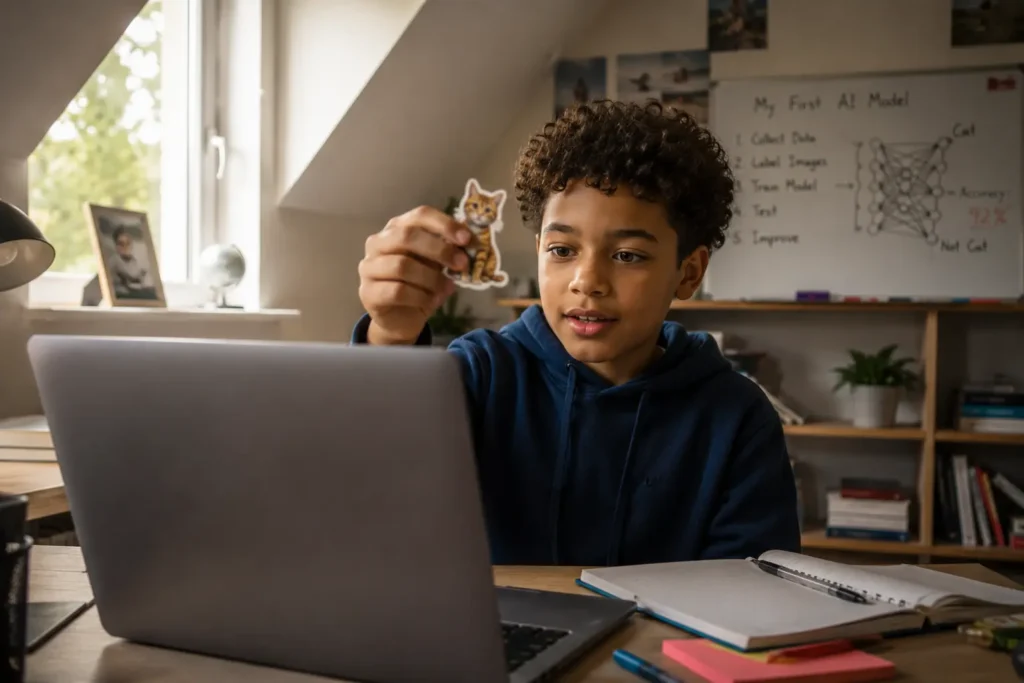
Google Teachable Machine is one of the best AI tools for kids in this age group because it makes machine learning visible, and it is free. The child trains their own machine learning model using their webcam, microphone, or uploaded images. They collect training data, build the model, test its accuracy, and watch it improve or fail based on what they fed it. That end-to-end process, from raw data to a working model, gives children genuine insight into how machine learning actually functions. It is not a simulation. They are doing the real thing, simplified enough to be accessible at age 8 but substantive enough to matter.
Scratch combined with the Machine Learning for Kids extension, an open-source project developed with MIT’s support, layers real machine learning concepts onto a creative coding environment children already enjoy. A child builds a Scratch game or animation and integrates an AI component they trained themselves. The creative output gives them something to show. The AI component gives them something to understand.
Google Gemini is worth adding here as a companion to ChatGPT rather than a replacement. Google has built a dedicated youth experience for Gemini available through Google Family Link, rated low risk by Common Sense Media. The youth version automatically fact-checks responses against Google Search and cites its sources. For a child learning that AI can be wrong, having a tool that shows its working is genuinely educational. A child who uses Gemini alongside ChatGPT starts to notice that different AI tools give different answers to the same question, which is itself one of the most important lessons in AI literacy.
ChatGPT, used with a parent account and active guidance at this age, belongs on a best AI tools for kids shortlist because it introduces children to the most widely used AI tool in the world in a way that builds good habits from the start. The parent sits with the child. The child writes a prompt. They read the output together and ask: is this right? Is this what you meant? How would you improve it? That questioning habit, built at age 8 with a parent in the room, is the foundation of everything that follows.
Suno, used with a parent account, opens AI to children who respond better to music than text or code. A child types a description of a song they want to hear, and Suno generates a complete track with vocals, instruments, and lyrics in under a minute. The creative loop is immediate. They refine the description. They hear a different result. They learn that the specificity of the prompt determines the quality of the output. The same lesson as ChatGPT, delivered through something that feels like magic. Free tier covers around ten songs per day, which is enough for a family session.
Canva’s AI features are among the best AI tools for kids who respond to image and design outcomes. Generating an image from a written description teaches prompt engineering through immediate visual feedback. The child writes something, sees a result, refines the description, and watches how the output changes. That iteration loop is identical to what makes every other AI tool valuable, just expressed through design rather than text or music.
Ages 12 to 16: From Tools to Building
The shift at this age is not about adding more names to a best AI tools for kids list. It is about the depth and independence of use, and the complexity of what children are expected to produce.
ChatGPT and Gemini remain two of the best AI tools for kids at this age because they move from guided exploration tools to genuine creative and intellectual partners. A 13 or 14 year old who has been introduced to them properly at age 8 or 9 already has the habit of questioning outputs. Now they can use these tools for multi-stage projects, sustained research tasks, and creative work that spans multiple sessions. They are not accepting the first result. They are working through a problem across an extended conversation, refining their thinking as they go.
ElevenLabs is one of the best AI tools for kids who want to add voice to stories, presentations, or documentary-style projects. A child writes a short story, pastes it into ElevenLabs, selects a voice, and hears it narrated back in seconds with remarkably natural speech. From there, the projects grow. A history project becomes a narrated documentary. A creative writing piece becomes an audiobook. A school presentation gets a professional voiceover. The free tier covers enough characters for short projects. Parental oversight is recommended, and the tool works best as part of a larger creative project rather than as a standalone activity. Recommended from age 10 upward with supervision, and independently from around 13.
Suno becomes one of the best AI tools for kids who want to move beyond birthday songs and classroom experiments into genuine creative production. A 14 year old can write original lyrics, specify a genre, and produce a finished track with vocal arrangement in minutes. Pairing Suno with ElevenLabs opens multi-modal storytelling. A child who writes, composes, and narrates their own project is working across three different AI tools simultaneously, making decisions at every stage about what each tool should contribute. That is a sophisticated creative and technical workflow that builds exactly the habits structured AI education aims to develop.
For children who want to understand how AI systems are actually built, Teachable Machine remains one of the best AI tools for kids at this age but can now be approached with more complexity. A 14 year old can design experiments, test hypotheses about training data quality, and develop genuine intuitions about how machine learning works under the surface.
Children at the older end of this range who have a programming foundation are ready for OpenAI Codex or Claude Code. Both tools allow a child to write code with AI assistance, seeing how AI suggests completions, flags errors, and helps structure programmes. The key distinction from passive AI use is that the child must understand what the code is doing. AI-assisted coding without that understanding produces nothing useful. With it, these tools accelerate a child’s ability to build real applications in ways that were not accessible to teenagers even three years ago. OpenAI Codex is accessible via a ChatGPT Plus or Pro subscription. Claude Code runs in the terminal and is available via Anthropic’s platform. These are advanced tools for children who already code, not entry points.
For image generation that goes deeper than consumer tools, prompt-based image generators that accept structured inputs introduce a more deliberate and precise form of creative direction. A child who has been building with ChatGPT and Canva and wants to go deeper will find that the specificity required to produce a good image through structured prompting is a genuine skill that develops critical thinking about language, intention, and output quality. This kind of tool is typically introduced inside structured AI programmes rather than recommended for unsupervised home use, because the learning value comes from the guided conversation around what the child is trying to produce and why.

“A child who writes, composes, and narrates their own project is working across three different AI tools simultaneously, making decisions at every stage about what each tool should contribute.”
The Thing That Matters More Than Any Tool
The best AI tools for kids will change. Some will improve. Some will be replaced. New ones will emerge that do not exist yet. A child who has learned to use any AI tool with curiosity, scepticism, and a habit of finishing what they start will adapt to whatever comes next without difficulty.
That adaptability is what AI fluency actually looks like in practice. For a clear explanation of what AI fluency means for children and how parents can recognise it developing, the article on what AI fluency actually means covers this in detail.
What individual tools at home cannot provide is the structured environment where a child is expected to produce something real under guidance, where someone is asking them why they made the choices they made, and where the standard being applied is not ‘did you enjoy it’ but ‘what did you build.’ Research on project-based learning supports this emphasis on realistic projects, feedback, revision, and presentations as core parts of effective learning. Exploring the best AI tools for kids at home is a genuinely useful starting point. Structured learning is where the habits get built properly.
For a complete guide to what to look for when that next step feels right, the article on how to choose an AI academy for kids walks through the criteria in detail.
“Home tool exploration is a genuinely useful starting point. Structured learning is where the habits get built properly.”
If your child is between 8 and 16 and you are looking for a live, structured programme that takes everything the best AI tools for kids point toward and builds it into a ten-day project experience, the details for Transcend AI Academy’s upcoming summer camp are in the button below. Small cohorts, live instructors, and a curriculum built around the one question that matters: what did your child make today?
If your child is between 8 and 16 and you are looking for a live, structured programme that takes everything the best AI tools for kids point toward and builds it into a ten-day project experience, the details for Transcend AI Academy’s upcoming summer camp are at transcendaiacademy.com/programs/summer-ai-camps-for-kids. Small cohorts, live instructors, and a curriculum built around the one question that matters: what did your child make today?