
Ages 8–16 · Live Online
Max 8 students per class
Structured summer skill program · Beginner-friendly

Your Child Learns to Direct AI. Build With It. Stay Smarter With It.

A live, instructor-led AI summer camp for kids ages 8 to 16. Ten days of real projects, rigorous thinking, and responsible AI use, delivered in small cohorts where every child gets seen.

Google Meet · Demo Day · Basic laptop comfort required
AI Summer Camp for kids

Every session starts with your child’s ideas.

AI shows up to amplify what’s already theirs — not to do their thinking for them. That’s the whole philosophy, built into every lesson.

🧠

Ideas before AI, always

Students brainstorm and outline first. When AI enters the room, it deepens and expands thinking that’s already their own.

🛠️

A builder's mindset, by design

They learn to direct tools, critique outputs, and ship original work — leaving with a portfolio and the confidence that built it.

🛡️

Safety and ethics, built in

Privacy basics, smart boundaries, and responsible use — taught in plain, age-appropriate language throughout the whole camp.

What your child walks away with

Ten days at AI camp. Tangible skills. A project they made themselves.

The children who thrive in an AI-driven world are the ones who know how to think clearly, ask precise questions, and produce original work. This camp trains exactly that — through real projects and hands-on creation.

01

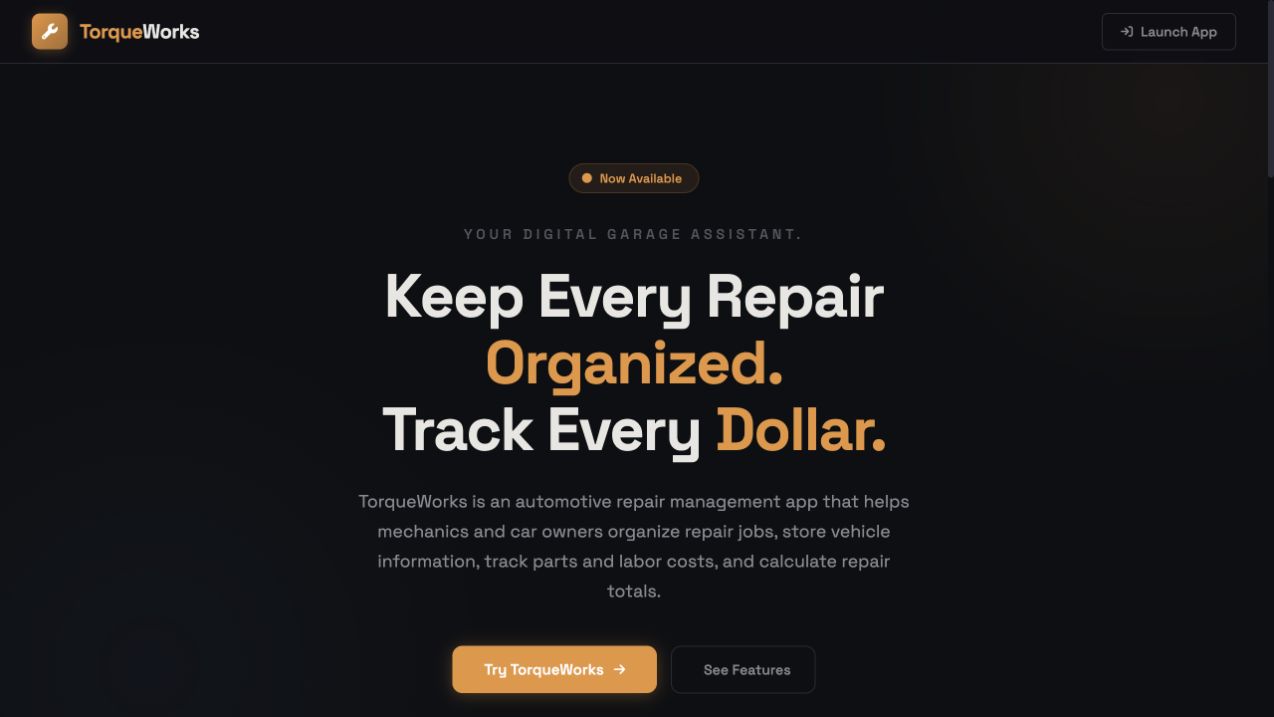
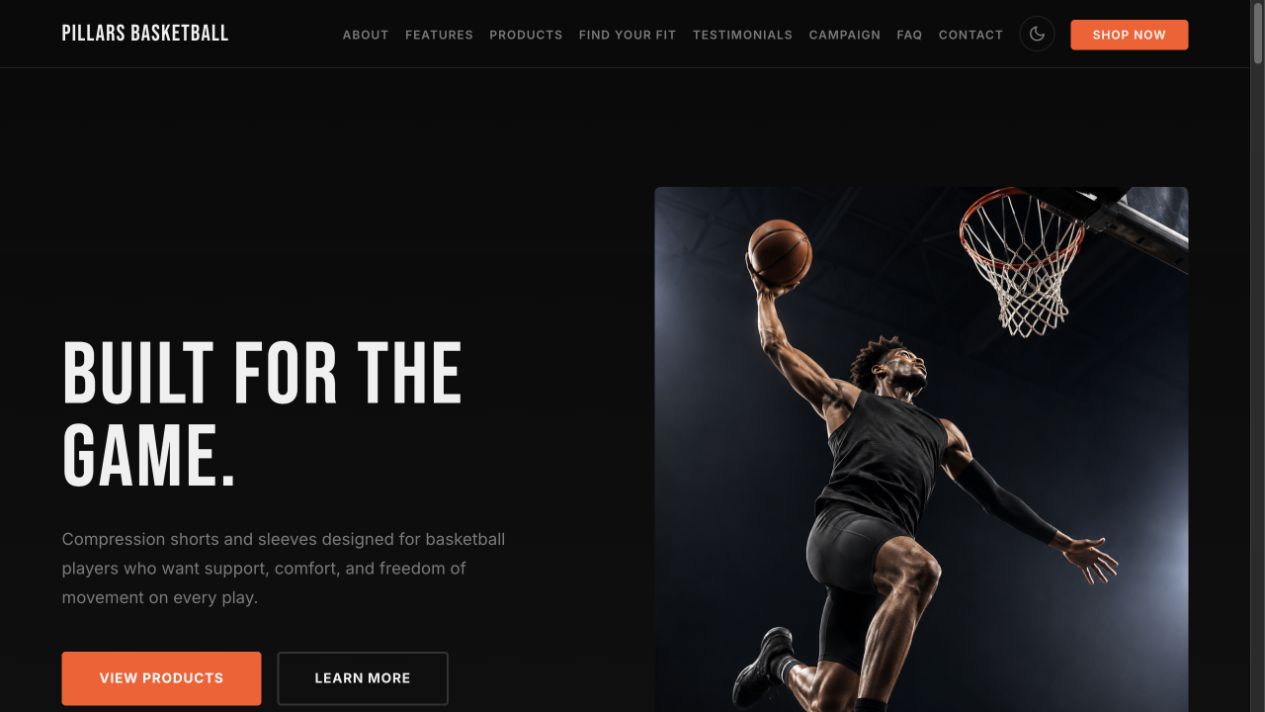
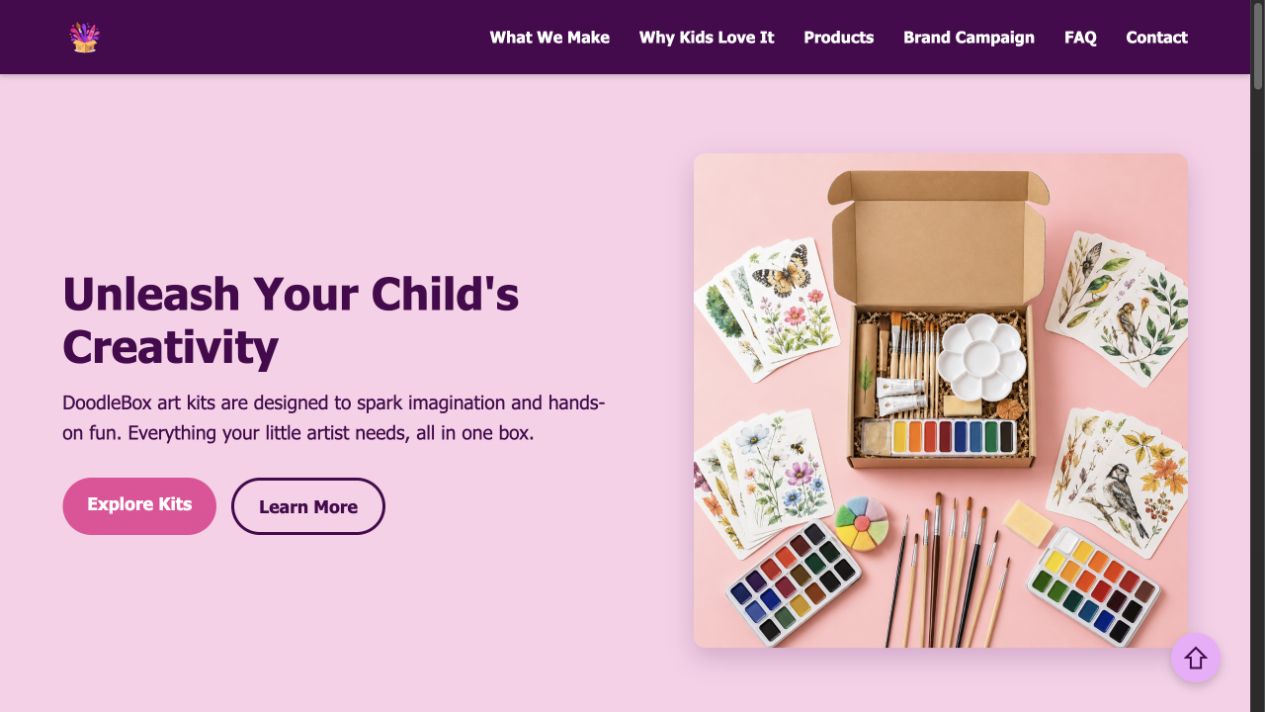
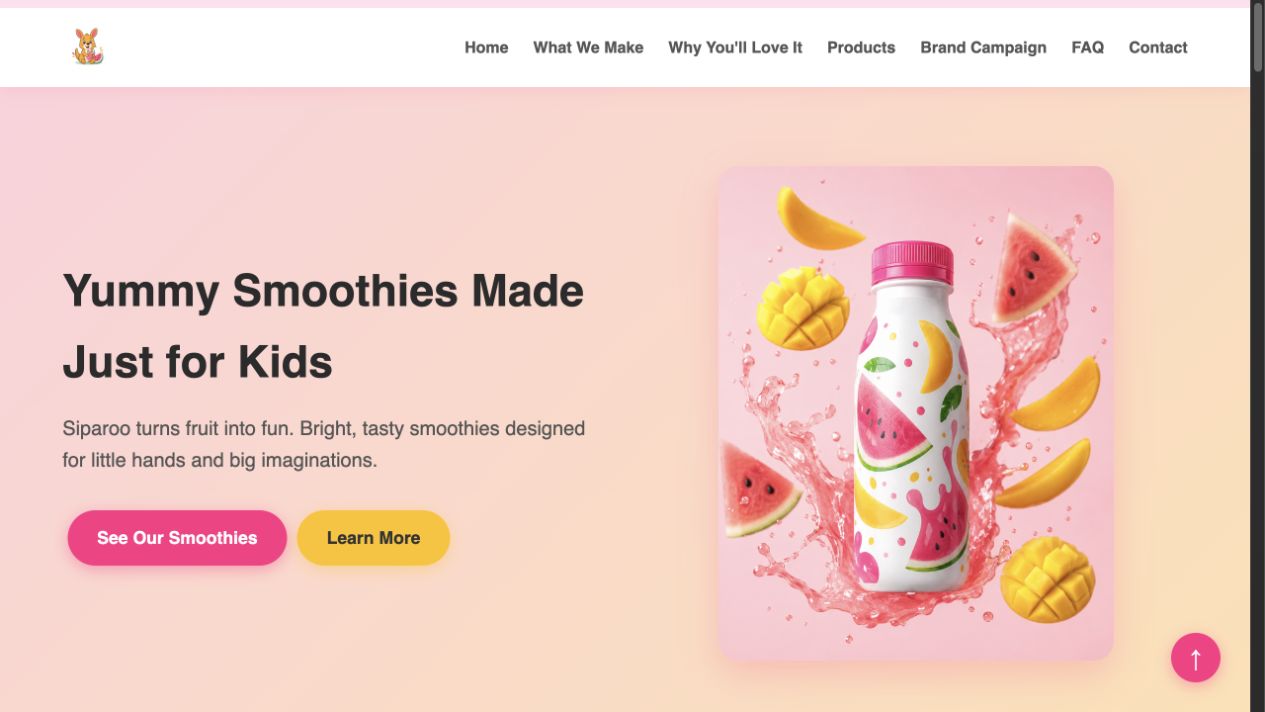
A completed AI brand project

A fictional brand website, visuals, ad assets, jingle, quiz or mini game, and pitch they built and improved with AI.

02

Sharper critical thinking

The habit of forming their own ideas first — and using AI to pressure-test and expand them.

03

Confident AI communication

Clearer prompting, better questioning, and the skill to evaluate and improve what AI gives back.

04

Digital wisdom they’ll keep

A practical understanding of safety, privacy, and responsible use that travels with them long after camp ends.

What they'll actually build

What Your Child Gains at This AI Summer Camp for Kids

Every session is project-driven. Children create, iterate, and present. Two separate age tracks mean the depth and pace always match your child's stage.

What Your Child Will Actually Learn (Beyond the Activities)
How to think before using AI. Every child leaves with the Think First habit: developing their own ideas before bringing AI in to expand them. This keeps their originality intact and prevents passive dependence on the tool.
How to write precise, structured prompts. Through the CLEAR method, children learn a repeatable five-part framework that produces results matching what they actually had in mind.
How to combine multiple tools into one finished piece of work. Writing, image generation, audio, design. Children experience complete multi-tool workflows across the full two weeks.
How to critique AI output and improve it deliberately. Children are taught to spot what is generic, weak, or inaccurate in AI-generated content, then refine it with intention. This is the skill that separates someone who uses AI from someone who directs it.
Creative confidence built on a real completed project. Every child finishes with something they built, named, designed, and can explain. The experience of completion at this age is foundational.
How to present ideas clearly and confidently. Both tracks culminate in a live Demo Day. Children practise structuring their thinking, communicating what they built, and standing behind their work in front of an audience.
Digital safety habits that protect them online. Privacy rules, safe prompting practices, and an understanding of what to share and what to withhold are woven through every week.
🎨 AI Explorers · Ages 8–11 · AI-assisted brand website, creative assets, simple quiz or game, and final showcase
Week 1 · Days 1–5
Build the Brand Website. Then Add Creative Assets.
Day 1
Generate My First Brand Website With AI.
Students choose a fictional kids product brand, use AI to generate a first website, create their project files, open the site in a browser, and make at least one small edit themselves.
Day 2
Improve the Website and Begin Brand Images.
Students improve their website copy, add useful sections, plan brand image ideas, generate at least one product image, and begin placing images into the website.
Day 3
Finish Images, Logo, Product Visuals, and Website Improvements.
Students complete or improve the visual identity of their fictional brand, organize image files, add visuals to the website, and make the site feel more complete.
Day 4
Create a Brand Ad Script and Avatar/Video Ad.
Students write a short brand ad script, learn how to keep claims honest, and turn the message into an avatar or video-style brand ad draft.
Day 5
Create a Brand Jingle With Suno.
Students create a short brand jingle or jingle concept, connect sound to their brand message, and add or document the jingle inside their project.
Week 2 · Days 6–10
Add Interactivity, Polish, Pitch, and Present.
Day 6
Build a Simple Brand Quiz or Mini Game.
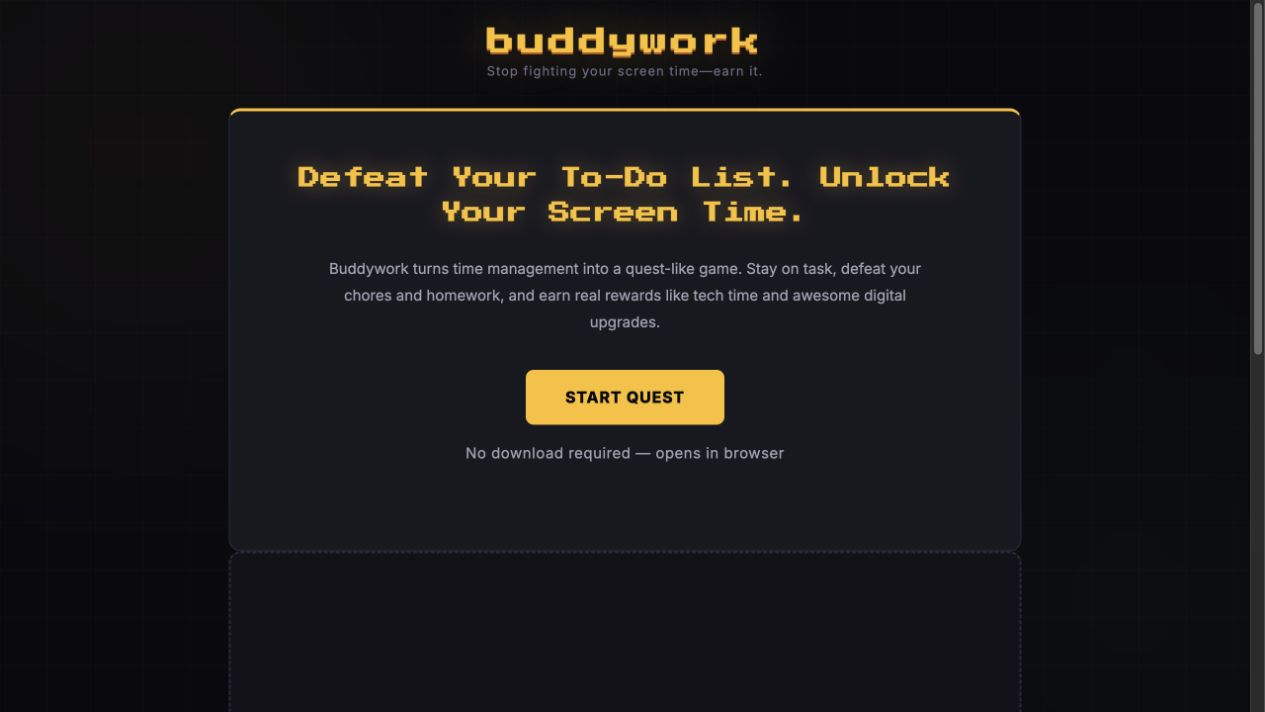
Students add a beginner-friendly interactive feature, such as a simple quiz, matching game, idea generator, or brand mini game, with AI support.
Day 7
Flex Day: Catch Up, Improve, and Add Responsible AI Checks.
Students catch up where needed, polish campaign pieces, improve the website, create an optional Canva poster, and review safety rules for fictional brands and public sharing.
Day 8
Create Pitch Slides and Host the Website.
Students prepare a simple pitch deck, organize what they built, and host or prepare the website so it can be shown during Demo Day.
Day 9
Final Polish and Pitch Practice.
Students clean up their website, video/ad draft, jingle, quiz or mini game, and slides, then practise explaining what AI helped with and what they improved themselves.
Day 10
Brand Showcase / Demo Day.
Students present their fictional brand project, show the pieces they created, and explain their process, responsible choices, and improvements.
🎤
Demo Day — End of Week 2
Every AI Explorer presents a completed fictional brand project to a live audience.
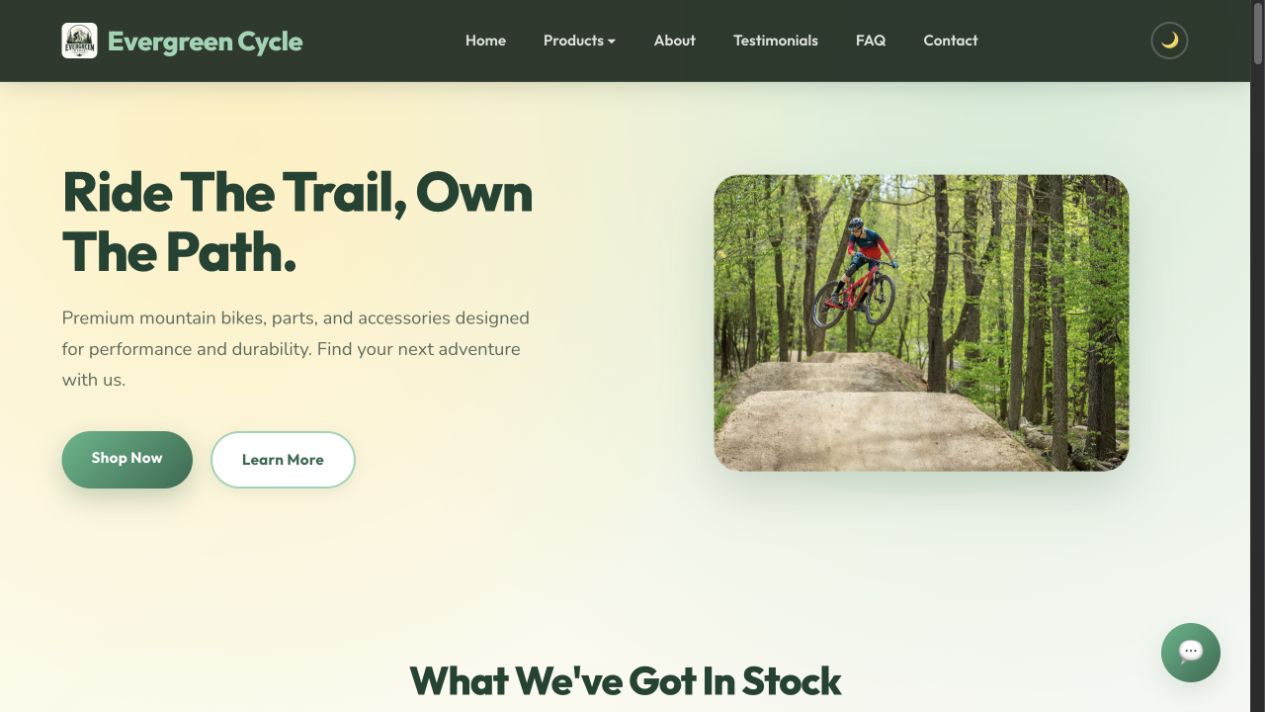
A fictional kids product brand
A working brand website
AI-generated brand images, logo, or product visuals
A brand ad script and avatar/video draft
A brand jingle or jingle concept
A simple quiz or mini game
Pitch slides and final brand presentation
They walk the audience through what they created, how they used AI, what they improved, and what parts came from their own thinking.
🚀 AI Innovators · Ages 12–16 · AI-assisted coding, professional brand site, working feature, and portfolio showcase
Week 1 · Days 1–5
Build a Professional Brand Site and Campaign Assets.
Day 1
Build and Understand Your Website.
Students learn how the code works at a high level, use AI to build a professional brand website, choose a product and audience, and practise reading, editing, and improving HTML/CSS with AI.
Day 2
Sharpen Brand Voice and Add Product Image.
Students improve positioning, audience clarity, website sections, honest sample comments, and the first product visual while learning that AI's first output is only version one.
Day 3
Build the Visual Identity.
Students create a logo and brand visuals, then improve colours, type, spacing, consistency, and image placement so the site looks more professional.
Day 4
Create a Persuasive Brand Ad and Presenter Video.
Students write an audience-targeted ad script, create a brand presenter or video draft, and keep claims honest and age-appropriate.
Day 5
Publish Video and Create a Brand Jingle.
Students connect video, audio, and website assets into a tighter brand campaign, with optional light promo editing for faster students.
Week 2 · Days 6–10
Add a Working Feature, Host, Pitch, and Present.
Day 6
Build a Useful Working Feature.
Students use AI-assisted coding to build a recommender, quiz with scoring, calculator, waitlist-style form, or another simple feature with real logic.
Day 7
Host the Website and Build a Second Mini Tool or Game.
Students host the site, test the link, debug issues, and optionally build a second functional mini-tool or game using the read, build, debug, improve loop.
Day 8
Create a Founder-Style Pitch Deck.
Students prepare slides that explain the problem, solution, audience, product demo, what they built with AI, and their next step.
Day 9
Polish, Responsible AI, and Rehearse.
Students polish the live site, working feature, visuals, video, and slides while reviewing hallucination, verification, bias, synthetic media, and AI integrity.
Day 10
Demo Day as Portfolio Showcase.
Students present their live site, working feature, pitch, and the responsible choices they made while building with AI.
🎤
Demo Day — End of Week 2
Every AI Innovator presents a completed portfolio-style build to a live audience.
A professional brand website
A working feature or mini-tool
Brand visuals and campaign assets
A presenter video, jingle, or promo asset
A founder-style pitch deck
A portfolio-style record of what they built and improved with AI
They walk the audience through the audience they chose, what they built, how they used AI, what they improved, and the responsible choices they made along the way.

Parent review

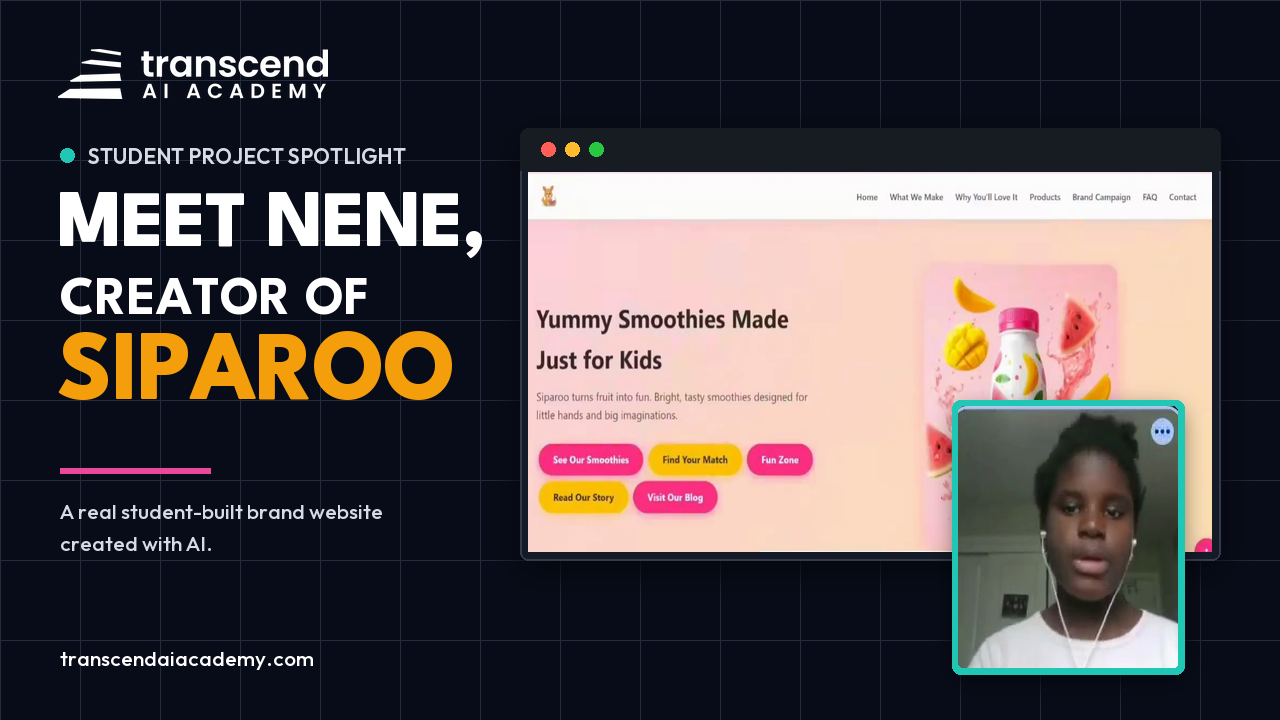
What hands-on AI learning looked like to one family.

“Our girls recently completed the 2-week AI class, and we are beyond impressed with what they learned and accomplished.”

The parent highlighted the hands-on projects, practical skills, creativity, and confidence her children developed during the program.

Hima Patel ★★★★★ Google review
Original parent review
Five-star Google review from Hima Patel describing her children's positive two-week AI class experience

Program details

Live. Structured. Built around small cohorts.

2-week batches · Monday–Friday · 2 hours daily · Live on Google Meet · Small guided groups

SCHEDULE

Monday – Friday

Morning: 10am-12pm (EDT) | Age 8-11

Afternoon: 2pm-4pm (EDT) | Age 12-16

DURATION

10 sessions · 2 hours each

20 live instructional hours total

CLASS SIZE

Maximum 8 students

Small enough that every child gets called on, challenged, and celebrated.

PLATFORM

Google Meet

Live instruction on Google Meet. If a student misses class, contact us to confirm the current catch-up option.

INCLUDED

Demo Day presentation + Certificate + AI brand project

CLASS SCHEDULE

Morning · 10am – 12pm (EDT)

Ages 8-11

AI Explorers

Afternoon · 2pm – 4pm (EDT)

Ages 12-16

AI Innovators

Two age tracks

Ages 8-11

Guided website building, beginner prompting, brand visuals, simple interactivity, and final presentation.

Ages 12-16

AI-assisted coding, brand strategy, working web features, campaign assets, hosting, and portfolio-style presentations.

Tools used (all free tier)

Laptop required. No tablets. Students should be comfortable using a browser, keyboard or trackpad, tabs, copy/paste, and following simple English instructions. Younger students may need a parent nearby for setup and sign-ins.

SUMMER 2026

Choose the two weeks that fit your family.

Each batch covers the same curriculum. Choose an upcoming batch that works for your schedule.

Batch 1

July 6 – 17

Mon–Fri 

In progress — enrollment closed.

Batch 2

July 20 – 31

Mon–Fri 

Morning · 10am–12pm (EDT) Ages 8–11
3 spots available · closes when full
Afternoon · 2pm–4pm (EDT) Ages 12–16
3 spots available · closes when full

Batch 3

Aug 3 – 14

Mon–Fri 

Morning · 10am–12pm (EDT) Ages 8–11
6 spots available · closes when full
Afternoon · 2pm–4pm (EDT) Ages 12–16
6 spots available · closes when full
📹
Miss a session?

If your child misses a session, contact us so we can confirm the current catch-up option for that batch.

9,000+
Kids taught via 9jacodekids
10+
Years in kids tech education

meet your instructor

Ugo Nkwocha

Founder · Engineer · Educator · Father of three

I'm the founder — and the person who will be in the room with your child. I'm an engineer, educator, and father of three who spent over a decade running 9jacodekids Academy in Nigeria, teaching more than 9,000 children aged 6–16 to code, build with robotics, and work with AI tools.

That experience taught me what actually works when teaching kids to think critically about technology. Transcend AI Academy carries that mission forward — rebuilt for the AI age and brought to Canada.

"I built this because I wanted something that didn't exist yet — a programme I'd enrol my own children in without hesitation."

ENROLLMENT

Claim Your Child's Seat

Each package covers one full 2-week session — 20 live instructional hours — per child enrolled. Before you enroll: no prior AI or coding experience is required, but students should be comfortable typing, clicking, switching tabs, and using copy/paste.

$249 CAD for 1 child

Before you enroll: No prior AI or coding experience is required, but this is a live laptop-based class. Students should be comfortable typing, clicking, switching tabs, and using copy/paste. Package pricing is shown below.

Standard pricing is active
00 days
:
00 hrs
:
00 min
:
00 sec

1 child

$249 CAD

2 children

$449 CAD
Save $49 vs individual

3 children

$635 CAD
Save $112 vs individual

4 children

$799 CAD
Save $197 vs individual
💡
How sibling pricing works

Each package covers one 2-week batch per child. Children are placed in their correct age group automatically — you choose batch dates at checkout.

Sibling pricing

Sibling packages are listed below so families can choose the option that matches the number of children enrolling.

Seats fill fast and stay filled.

Each class holds a maximum of 8 students. When seats close, registration closes with them.

💬 Have a question? Message us on WhatsApp and we’ll get back to you quickly.

REFUND POLICY

Fair to families. No surprises

100%

Full refund up to 7 days before your batch starts — no questions asked.

50%

Half refund up to 48 hours before the first session — still fair at the wire.

0%

Once camp begins, refunds are closed — because your seat was held for your child the entire time.

AFTER ENROLLMENT

Here's what happens after enrollment.

1

Your confirmation email includes your receipt, batch details, and family portal access.

2

Inside the portal, you will find the schedule, Google Meet link, parent prep notes, and readiness details.

3

During camp, the portal keeps assignments, class updates, and catch-up guidance in one place.

🎓

After Demo Day, certificate details, portfolio updates, and final project notes are shared through the portal.

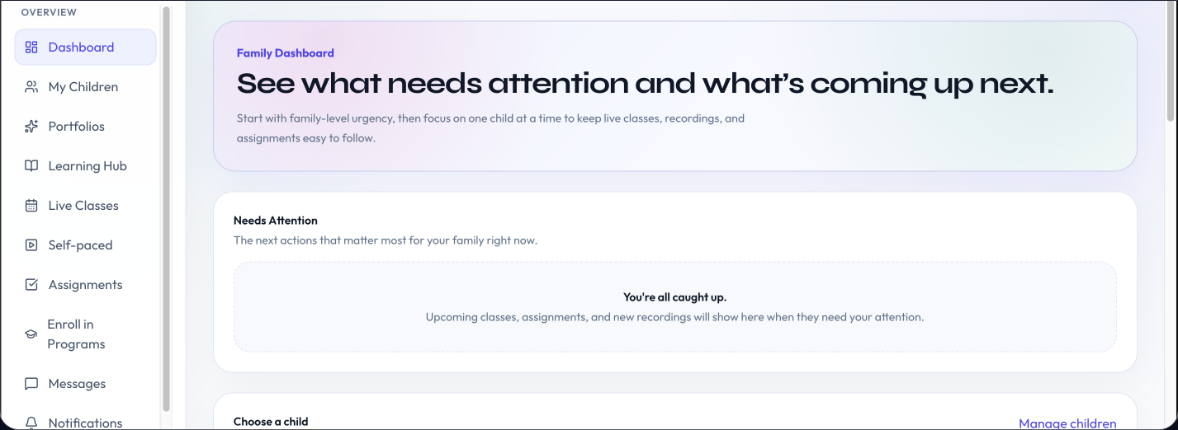
Family portal

Parents can see what needs attention and what comes next.

The family portal keeps live classes, assignments, recordings, messages, and each child's portfolio in one organized place.

Stay organized

See upcoming classes, assignments, and new recordings without searching through emails.

See each child

Switch between children while keeping the whole family's learning in one clear view.

Follow progress

Find portfolios, activity, messages, and notifications together in one place.

PARENT QUESTIONS

Answered clearly.

By Demo Day, students present a project that matches their age track. AI Explorers build a fictional product brand with a website, AI-generated visuals, ad or video draft, jingle, quiz or mini game, and pitch slides. AI Innovators build a more professional brand site with campaign assets, a working feature or mini-tool, and a founder-style pitch deck. The goal is not passive AI use. It is building, testing, improving, and explaining their work.

Ages 8–11 join the morning session (10am–12pm) as AI Explorers. Ages 12–16 join the afternoon session (2pm–4pm) as AI Innovators. The schedule is set by age group — there’s no choice to make on timing. When you enroll, your child is automatically placed in the right session for their age. Both groups run Monday to Friday for two weeks.

The entire program is built around the opposite. Every session opens with a “Think First” workflow — students brainstorm and outline before AI enters the picture. Then they use AI to deepen, expand, and refine what’s already theirs. By camp’s end, the habit is set: ideas come from them first, always.

We include a dedicated segment on digital wisdom throughout the camp — privacy basics, safe prompting habits, personal information boundaries, and how to recognise when a tool is being used against you rather than for you. All delivered in plain, age-appropriate language by a supervised instructor.

No paid subscriptions are required for the camp. A laptop is required because students need to use a browser, keyboard or trackpad, tabs, files, and copy/paste while building. Tablets do not give enough control for this curriculum.

If your child misses a session, contact us so we can confirm the current catch-up option for that batch. The camp is live and project-based, so students should attend consistently where possible.

Ages 8–11 join the morning session (10am–12pm) as AI Explorers. Ages 12–16 join the afternoon session (2pm–4pm) as AI Innovators. The schedule is set by age group — there’s no choice to make on timing. When you enroll, your child is automatically placed in the right session for their age. Both groups run Monday to Friday for two weeks, covering the same core principles with curriculum matched to each developmental stage.

Yes. No prior AI or coding experience is required. The camp starts from the beginning with guided, step-by-step AI use. Because this is a laptop-based live class, students should be comfortable using a browser, keyboard or trackpad, switching tabs, copying and pasting, and following simple English instructions. Younger students may need a parent nearby for setup and sign-ins.

Ten days this summer could change how your child thinks for the next decade

They’ll leave with a portfolio, a certificate, and a way of thinking about AI that puts them in control of the tool — not the other way around.

Seats capped at 8 per class · Two upcoming batches available · Contact us to confirm current availability
Scroll to Top

Send a quick message

Leave your question below and I’ll reply personally within 24 hours.