
Your Child Learns to Direct AI. Build With It. Stay Smarter With It.
A live, instructor-led AI summer camp for kids ages 8 to 16. Ten days of real projects, rigorous thinking, and responsible AI use, delivered in small cohorts where every child gets seen.
Google Meet · Recordings included · Demo Day + certificate + portfolio
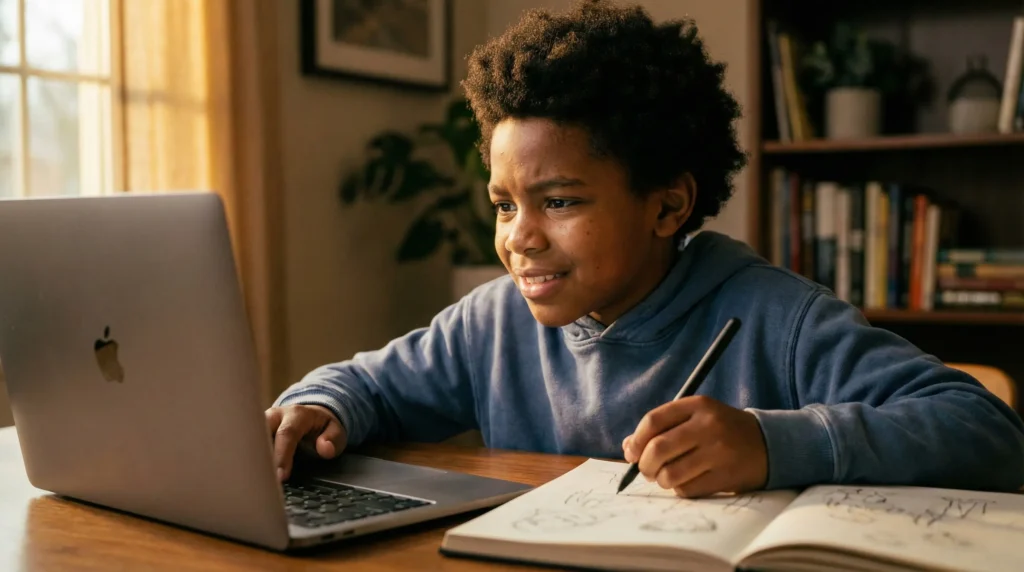
Every session starts with your child’s ideas.
AI shows up to amplify what’s already theirs — not to do their thinking for them. That’s the whole philosophy, built into every lesson.
Ideas before AI, always
Students brainstorm and outline first. When AI enters the room, it deepens and expands thinking that’s already their own.
A builder's mindset, by design
They learn to direct tools, critique outputs, and ship original work — leaving with a portfolio and the confidence that built it.
Safety and ethics, built in
Privacy basics, smart boundaries, and responsible use — taught in plain, age-appropriate language throughout the whole camp.
What your child walks away with
Ten days at AI camp. Tangible skills. A project they made themselves.
The children who thrive in an AI-driven world are the ones who know how to think clearly, ask precise questions, and produce original work. This camp trains exactly that — through real projects and hands-on creation.

01
A working creator portfolio
Comics, stories, product concepts, or short videos — original AI-powered projects they built themselves.
02
Sharper critical thinking
The habit of forming their own ideas first — and using AI to pressure-test and expand them.
03
Confident AI communication
Clearer prompting, better questioning, and the skill to evaluate and improve what AI gives back.
04
Digital wisdom they’ll keep
A practical understanding of safety, privacy, and responsible use that travels with them long after camp ends.
What Your Child Gains at This AI Summer Camp for Kids
Every session is project-driven. Children create, iterate, and present. Two separate age tracks mean the depth and pace always match your child's stage.
WHAT PARENTS ARE SAYING
Real families. Real results
From parents whose children have experienced the Transcend AI Academy approach firsthand.
Parent Name
Parent Name
Parent Name
"[Replace with parent testimonial. The most powerful testimonials speak to a specific change they saw in their child — not just that they enjoyed it.]"
"[Replace with parent testimonial. Quotes that mention the Think First approach or something specific their child built tend to be the most convincing to other parents.]"
"[Replace with parent testimonial. If you have a quote specifically about safety, over-reliance concerns, or critical thinking — this is a great slot for it. Those address the biggest parent objections.]"
"[Replace with parent testimonial. A great final text testimonial often speaks to value vs. cost — something like 'I was unsure about the investment but...' — it handles the price objection before the pricing section.]"
Program details
Live. Structured. Built around small cohorts.
2-week batches · Monday–Friday · 2 hours daily · Live on Google Meet · Recordings included for catch-up
SCHEDULE
Monday – Friday
Morning: 10am-12pm (EDT) | Age 8-11
Afternoon: 2pm-4pm (EDT) | Age 12-16
DURATION
10 sessions · 2 hours each
20 live instructional hours total
CLASS SIZE
Maximum 8 students
Small enough that every child gets called on, challenged, and celebrated.
PLATFORM
Google Meet
Session recordings included — no session missed permanently.
INCLUDED
Demo Day presentation + Certificate + Creator portfolio
CLASS SCHEDULE
Morning · 10am – 12pm (EDT)
Ages 8-11
AI Explorers
Afternoon · 2pm – 4pm (EDT)
Ages 12-16
AI Innovators
Two age tracks
Ages 8-11
Guided creativity, foundational prompting, storytelling + visual projects.
Ages 12-16
Deeper prompting techniques, critical analysis, product concepts + advanced portfolios.
Tools used (all free tier)
Laptop required. No tablets. No paid subscriptions needed.
SUMMER 2026
Choose the two weeks that fit your family.
All three batches cover the same curriculum. Pick the one that works for your schedule.
Batch 1
Mon–Fri
Batch 2
Mon–Fri
Batch 3
Mon–Fri
Every session is recorded. Your child catches up on their own schedule without falling behind.

meet your instructor
Ugo Nkwocha
Founder · Engineer · Educator · Father of three
I'm the founder — and the person who will be in the room with your child. I'm an engineer, educator, and father of three who spent over a decade running 9jacodekids Academy in Nigeria, teaching more than 9,000 children aged 6–16 to code, build with robotics, and work with AI tools.
That experience taught me what actually works when teaching kids to think critically about technology. Transcend AI Academy carries that mission forward — rebuilt for the AI age and brought to Canada.
"I built this because I wanted something that didn't exist yet — a programme I'd enrol my own children in without hesitation."
ENROLLMENT
Claim Your Child's Seat
Each package covers one full 2-week session — 20 live instructional hours — per child enrolled.
$219 CAD per child
Lock in the lowest price before it closes. Early bird pricing applies per child individually and cannot be combined with sibling packages below.
1 child
- ✦ 20 live instructional hours
- ✦ Demo Day presentation
- ✦ Certificate + creator portfolio
- ✦ Session recordings included
2 children
- ✦ 20 live instructional hours
- ✦ Demo Day presentation
- ✦ Certificate + creator portfolio
- ✦ Session recordings included
3 children
- ✦ 20 live instructional hours
- ✦ Demo Day presentation
- ✦ Certificate + creator portfolio
- ✦ Session recordings included
4 children
- ✦ 20 live instructional hours
- ✦ Demo Day presentation
- ✦ Certificate + creator portfolio
- ✦ Session recordings included
Each package covers one 2-week batch per child. Children are placed in their correct age group automatically — you choose batch dates at checkout.
For one child, early bird ($219) beats regular ($249). For two or more, compare both totals and pick whichever is lower for your family.
Each class holds a maximum of 8 students. When seats close, registration closes with them.
💬 Not sure yet? Book a free 10-minute call and I’ll answer any questions before you enrol.
REFUND POLICY
Fair to families. No surprises
100%
Full refund up to 7 days before your batch starts — no questions asked.
50%
Half refund up to 48 hours before the first session — still fair at the wire.
0%
Once camp begins, refunds are closed — because your seat was held for your child the entire time.
AFTER ENROLLMENT
Here's exactly what happens next.
Confirmation email arrives with your receipt and batch details.
We send the Google Meet link, schedule, and a brief parent orientation guide.
Your child joins live sessions. Recordings land in their inbox after each one.
Demo Day: your child presents their project. Certificate and portfolio delivered.
PARENT QUESTIONS
Answered clearly.
What will my child actually create?
By Demo Day, every student presents an original AI-powered project — a comic, a story, a product concept, or a short video. Something they built themselves, with AI as their tool, not their author. The portfolio documents the full creative journey from week one.
What time are the classes — and how does age grouping work?
Ages 8–11 join the morning session (10am–12pm) as AI Explorers. Ages 12–16 join the afternoon session (2pm–4pm) as AI Innovators. The schedule is set by age group — there's no choice to make on timing. When you enroll, your child is automatically placed in the right session for their age. Both groups run Monday to Friday for two weeks.
Will this make my child rely on AI for everything?
The entire program is built around the opposite. Every session opens with a "Think First" workflow — students brainstorm and outline before AI enters the picture. Then they use AI to deepen, expand, and refine what's already theirs. By camp's end, the habit is set: ideas come from them first, always.
Is it safe? What about privacy and what they'll see?
We include a dedicated segment on digital wisdom throughout the camp — privacy basics, safe prompting habits, personal information boundaries, and how to recognise when a tool is being used against you rather than for you. All delivered in plain, age-appropriate language by a supervised instructor.
Do they need any paid subscriptions or apps?
None. Every tool we use has a free tier that covers everything in the curriculum. A laptop is required — tablets don't give the control needed for the creative work.
What if my child misses a session?
Every session is recorded and sent to enrolled families. Missing a class doesn't mean falling behind — your child catches up on their own schedule before the next live session picks up.
How does the age grouping work?
Ages 8–11 join the morning session (10am–12pm) as AI Explorers. Ages 12–16 join the afternoon session (2pm–4pm) as AI Innovators. The schedule is set by age group — there's no choice to make on timing. When you enroll, your child is automatically placed in the right session for their age. Both groups run Monday to Friday for two weeks, covering the same core principles with curriculum matched to each developmental stage.
My child has never used AI before. Is that okay?
This camp is beginner-friendly by design. No prior AI experience is assumed or required. We start from scratch and build — which is actually the ideal starting point, because there are no habits to unlearn.
Ten days this summer could change how your child thinks for the next decade
They’ll leave with a portfolio, a certificate, and a way of thinking about AI that puts them in control of the tool — not the other way around.
Seats capped at 8 per class · Three batches available · Early bird $130/child until March 31