
WINTER 2027 · AGES 8–17

Turn your child’s ideas into websites and games with AI.

Ten live online classes where children build, improve, and present their own projects, guided step-by-step by an experienced instructor.

Jan 9–Mar 13, 2027 · Saturdays, 12–2 p.m. Eastern

Separate groups: ages 8–11 and 12–17

Maximum 8 students · No coding experience needed

CAD $399 for the first child · Sibling savings available

View Tuition & Enrol

Registration closes January 6, 2027.

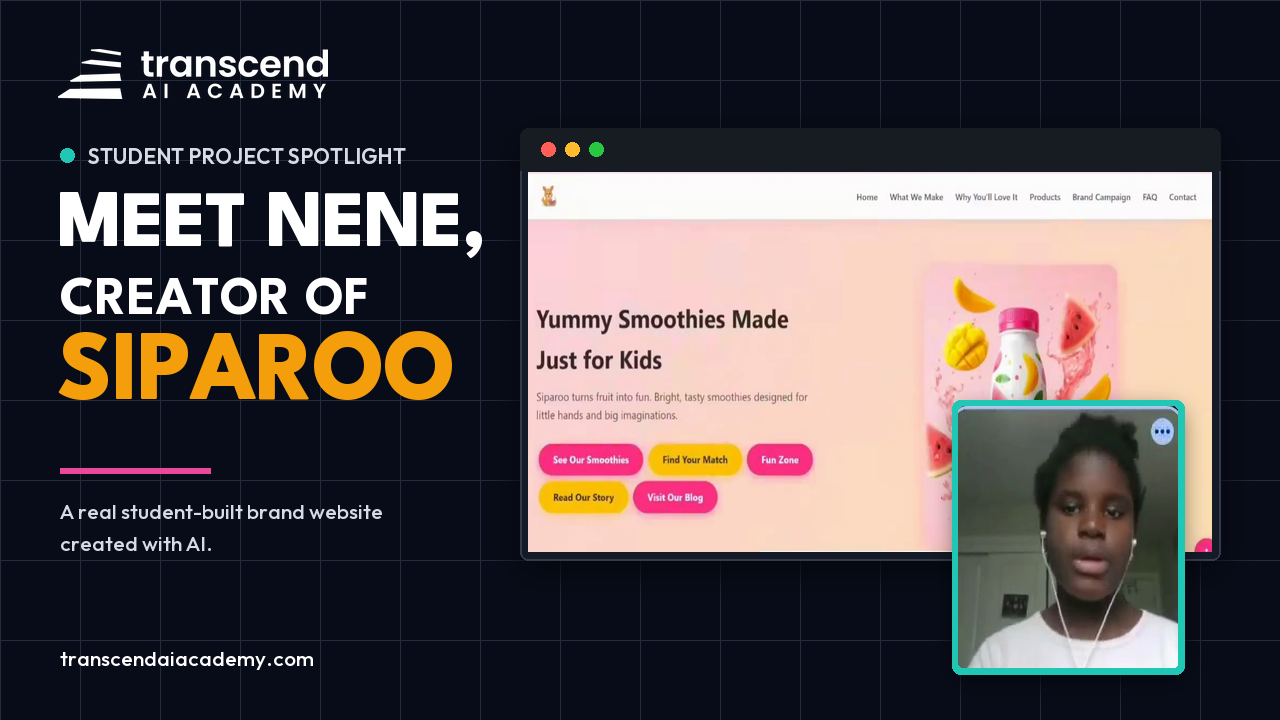
Watch Nene’s 74-second presentation
Nene presenting her Siparoo website at Summer Camp Demo Day

Student Demo Day

See what Nene built at 11.

After Summer Camp, Nene presented Siparoo, her smoothie-brand website. Watch her describe a mobile navigation problem and explain how she improved her prompt to solve it.

Play Pause
Backward 10s Play Pause Forward 10s Unmute Mute
/
Settings Playback Accessibility
Announcements
Keyboard Animations
Enter PiP Exit PiP Enter Fullscreen Exit Fullscreen

Nene, age 11 when she built Siparoo · Summer Camp Demo Day

PARENTS SHARE THEIR EXPERIENCE

What parents noticed beyond the finished projects.

Creativity, presentation practice and the excitement of making something their own. Here is how parents describe their children’s experience at Transcend.

★★★★★
“My child didn’t just learn how to create a website—they also learned how to build a slide deck and confidently present the work.”
Read the full review

“An absolutely fantastic experience for my child! A huge thank you to Mr. Ugo, who made the 101 class the perfect balance of challenging, fun, and exciting. My child didn’t just learn how to create a website—they also learned how to build a slide deck and confidently present the work. It was such a great experience that my child actually cried when the program ended! Needless to say, I immediately registered for the next stage. Highly recommend”

adanma ekekwe

Google review · Generative AI 101 · Excerpt
★★★★★
“It gave my children the tools to express their creativity. They now develop ideas independently and use the AI skills they learned in class to turn those ideas into websites complete with photos, videos, jingles, shopping carts, and more.”

Nwogu Gloria

Google review · Parent of three Summer Camp students · Excerpt

★★★★★
“The program went far beyond simply teaching kids how to use AI tools.”

Hima Patel

Google review · Parent feedback · Excerpt

Reviews describe previous Transcend programs. Individual experiences and project outcomes vary.

Read our Google reviews ↗

View Tuition & Enrol

What your child will work toward by March 13

Your child will bring their own ideas into the work, with project scope and guidance adapted to their age and progress.

A published website

A site incorporating creative media and interactive features, built around an idea they help shape.

An interactive game or tool

A project they test, improve, and make useful or enjoyable for someone else.

A final presentation

A chance to explain their decisions, challenges, and improvements to parents and family at Demo Day.

Students also receive a certificate and a portfolio of their work. Families are invited to the final class on March 13 to see students present their projects.

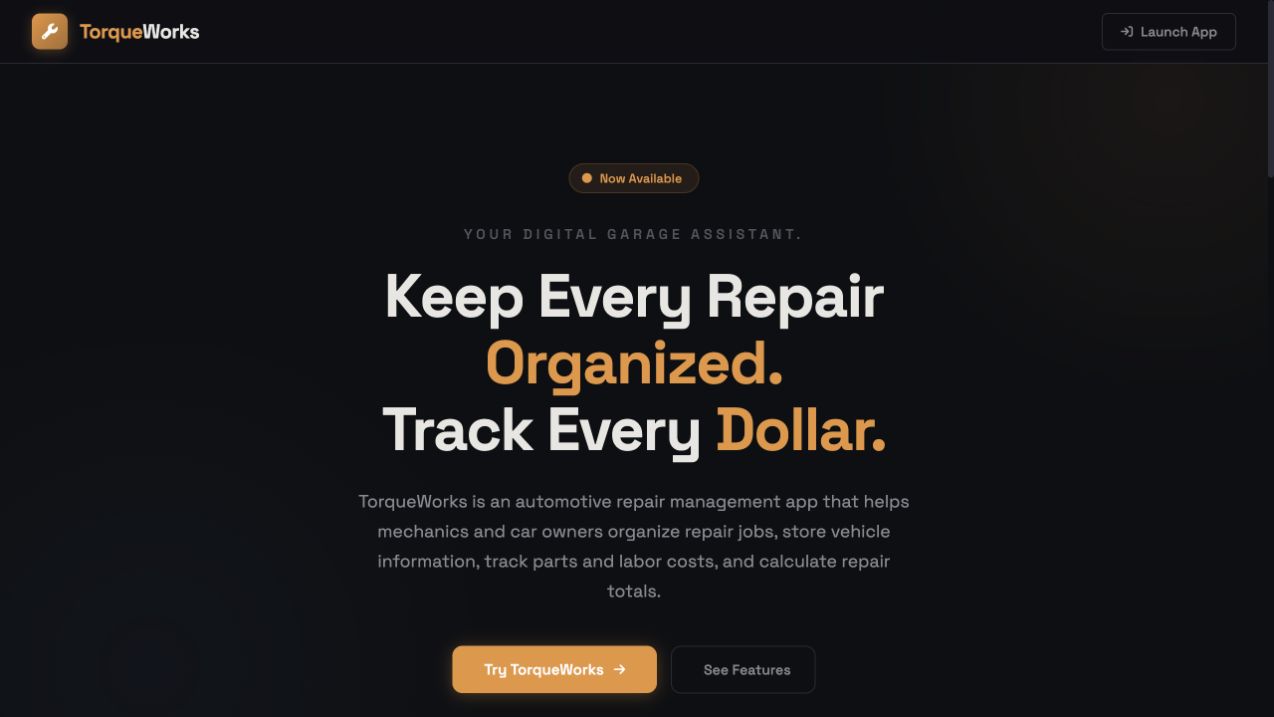
TorqueWorks student-built repair workflow application
Student workflow project

TorqueWorks

Built by Jesael, age 15. Jesael built a tool inspired by his mechanic dad's daily work.

Open live project ↗
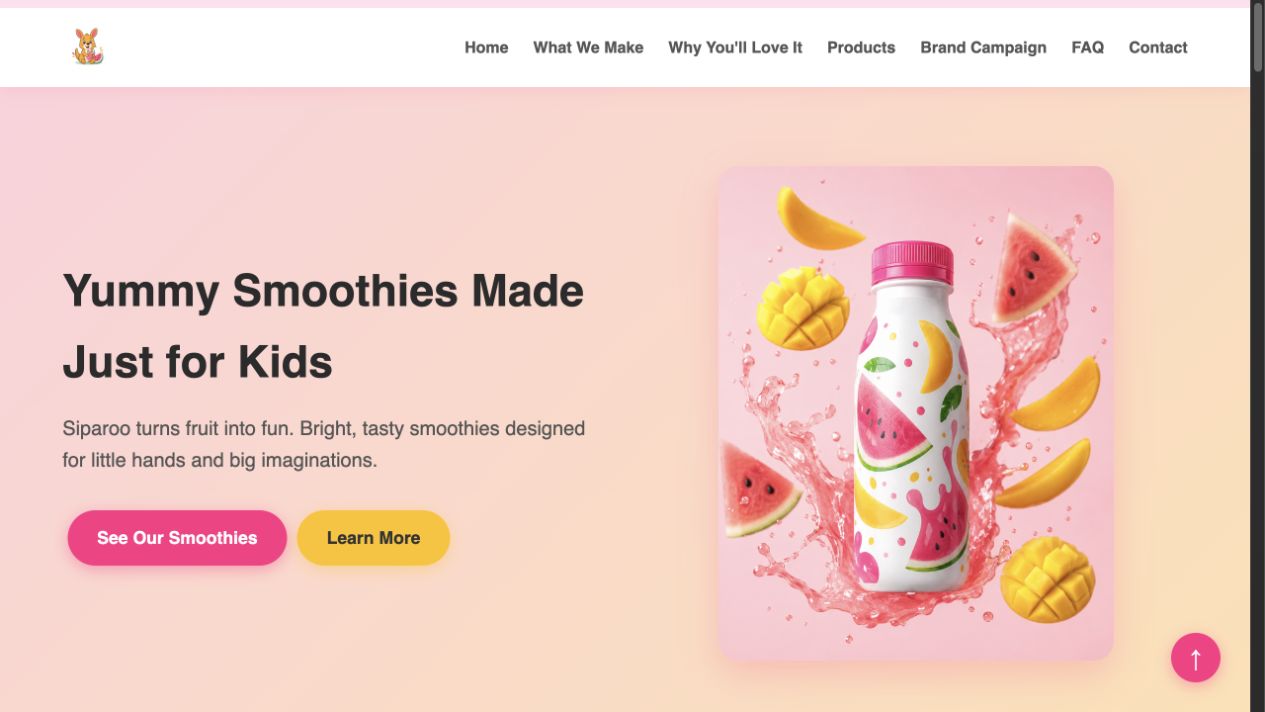
Siparoo student-built smoothie brand website
AI brand website

Siparoo

Built by Nene, age 11. Nene turned her interest in healthy food into a smoothie brand for children.

Open live project ↗
ProMatch sports recruitment prototype built by Isaac, age 16
Sports recruitment prototype

ProMatch

Built by Isaac, age 16. A student prototype exploring how overlooked athletes could showcase their skills and connect directly with clubs.

Explore prototype ↗

AGE GROUPS & TEACHING METHOD

Separate classes for kids and teens

Both groups meet on Saturdays from noon to 2 p.m. Eastern, in separate live classes with no more than eight students each.

Ages 8–11

Creative projects with step-by-step guidance
Students build websites, explore creative media, and make interactive games or tools, with support suited to their age and progress.

Ages 12–17

Projects with more room for planning and independent decisions
Students build websites, games, and tools while practising how to plan, test, troubleshoot, and present their work.

Ask

Give AI a clear goal and useful instructions.

Check

Look for mistakes and test the result.

Improve

Make changes rather than accepting the first version.

Explain

Describe your own choices and how the project works.

WHAT YOUR CHILD WILL LEARN

The ten-week learning journey

Explore the 10-week journey. Choose a module to see what each age group works on.

Weeks 1–2Website foundations & brand visuals

Create a first website, then improve its message and images.

Ages 8–11

Build a colourful brand website and add original pictures.

Ages 12–17

Build a responsive brand website, edit its structure and refine its positioning.

Weeks 3–4Creative media & interaction

Bring the idea to life with media and engaging features.

Ages 8–11

Create brand visuals and a short ad video for the website.

Ages 12–17

Develop campaign media and add a useful interactive feature.

Weeks 5–6Independent builds, apps & games

Use clearer briefs, test interactions and make more independent choices.

Ages 8–11

Create a jingle, matching quiz and playful website experiences.

Ages 12–17

Build from a client brief, explore an app idea and develop a browser game.

Weeks 7–8Publish, share & pitch

Prepare projects for sharing and organise a clear presentation.

Ages 8–11

Publish the brand website, develop a game and prepare a visual pitch.

Ages 12–17

Prepare launch materials and explain the project’s problem, solution and audience.

Weeks 9–10Refine, present & reflect

Improve the work and explain the choices behind it.

Ages 8–11

Rehearse a project story and demonstrate the finished brand experience.

Ages 12–17

Organise portfolio projects and present decisions, challenges and improvements.

The tools behind their projects

Students use AI tools to develop ideas, create content, and build projects, then publish their websites online.

ChatGPT, DeepSeek & Gemini

Develop ideas, write prompts, and get help building and improving projects.

Suno

Create AI-generated music and jingles.

HeyGen

Create AI-generated videos.

Netlify

Publish websites so others can explore them.

No additional paid AI subscriptions are required for course activities. Parents receive instructions for setting up the necessary access before the first class.

THE WEEKLY EXPERIENCE

Live guidance, with support between Saturdays

Each two-hour class includes a demonstration, guided project work, a break, and feedback. With a maximum of eight students per class, your child has room to ask questions and get help when something does not work.

Practice between classes

30–60 minutes of weekly practice to develop their projects.

Catch up after an absence

Class recordings and materials, tutor questions through the family portal, and individual catch-up sessions when necessary.

Revisit lessons

Rewatch class recordings.

Ready for the first class

  • Laptop + reliable internet

    A laptop is required; tablets aren’t suitable.

  • Basic computer skills

    Comfortable with typing, browser tabs, links, and copy/paste.

  • Accounts set up before class

    We send instructions. Parents complete setup before the first session.

  • No extra AI subscription costs

    All required activities use free tools or access we provide.

For younger children

Help with setup and stay nearby if needed—no need to sit through the lesson.

Needs ongoing help with reading or computer use? Chat with us before enrolling.

Practical habits for using AI responsibly

Students practise keeping personal information out of prompts, checking AI responses for mistakes, and telling their tutor if a response feels inappropriate or uncomfortable. They are also asked to explain their own decisions and contributions, rather than simply submit AI output.

Parent visibility

See what your child is learning

Winter Term is designed to make progress visible between classes, not only at the final presentation.

Weekly parent updateKnow what your child worked on and what comes next, with a short update after each week.
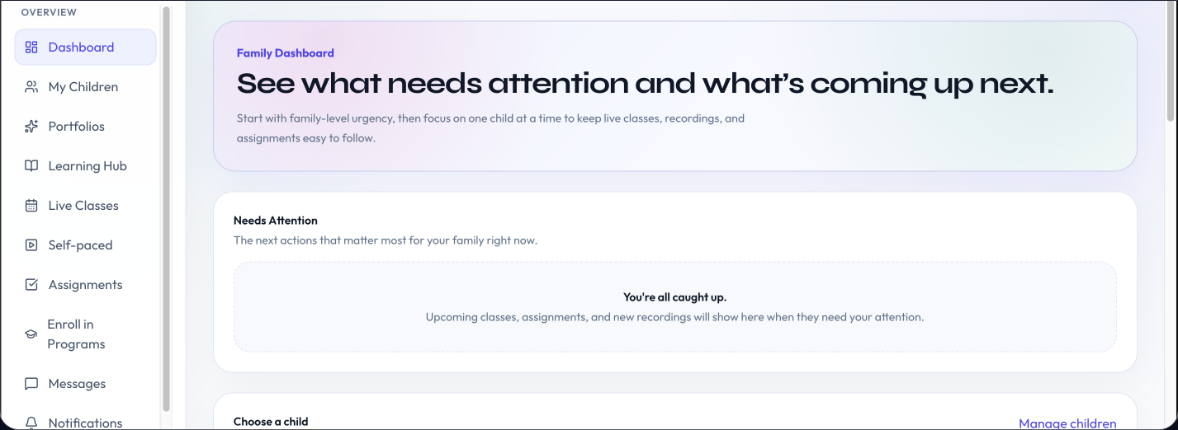
Organized family portalFind classes, assignments, messages and your child’s learning activity in one place.
Individual progress notesSee the work your child is creating and follow their development through instructor observations.
Ugo Nkwocha, Founder and Academic Director at Transcend AI Academy
9,000+Children taught through 9jacodekids Academy, founded by Transcend founder Ugo Nkwocha.
10+ yearsChildren's technology education

Founder and Academic Director

Ugo Nkwocha

Founder · Academic Director · Engineer · Educator

Ugo Nkwocha leads the curriculum, educational direction, and teaching standards behind Transcend AI Academy. His work in children's technology education spans more than a decade, including leading 9jacodekids Academy.

Winter Term follows the standards he has developed: small groups, clear instruction, long build time, responsible AI habits, and projects students can explain rather than simply generate.

“I built Transcend to give children the thoughtful, practical AI education I would confidently choose for my own family.”

WINTER 2027 TUITION

Ten weeks of live learning, with work your child can show

CAD $399 for the first child.
CAD $349 for each additional child.

Included in the term

  • Ten live two-hour Saturday classes
  • Maximum eight students per class
  • Guided projects: a published website and an interactive game or tool.
  • Demo Day presentation
  • Certificate and portfolio
  • Recordings and class materials
  • Weekly parent updates, portal access, and individual progress notes
  • Catch-up support when necessary
  • No additional paid AI subscriptions required for course activities
Family tuition
ChildrenTuition (CAD)
1$399
2$748
3$1,097
4$1,446
5$1,795

You’ll select your family’s places in the registration portal.

Installment option

Pay 60% at checkout, with the remaining 40% due 48 hours before Session 3. Installment availability is confirmed at checkout.

Registration closes January 6, 2027.

Enrol for Winter Term

Questions before enrolling? Chat with us on WhatsApp.

Refund & cancellation summary

Written cancellation requests received at least 7 calendar days before the first session qualify for a full refund. Requests received fewer than 7 days but at least 48 hours before qualify for a 50% refund. Tuition is non-refundable fewer than 48 hours before the first session or after the program begins. Read the full Refund & Cancellation Policy.

Parent questions

Feel confident about your child’s first step.

Find answers about fit, support, schedules and tuition before you choose your child’s place.

Is Generative AI 101 right for my child if they have never coded?

Yes. This is the introductory course, so previous AI or coding experience is not required. Your child should be comfortable typing, opening links, switching browser tabs, and copying and pasting, and able to follow spoken and on-screen English instructions.

Do I need to buy paid AI subscriptions?

No. All required course activities use free tools or access we provide. Parents receive instructions for setting up the necessary access before the first class.

What happens if my child misses a class?

Students can catch up using recordings and class materials, and ask their tutor questions through the family portal. Individual catch-up sessions are available when necessary.

Is there work between classes?

Expect about 45 minutes of practice each week to build skills and projects.

How long can we access recordings?

Recordings are available with no fixed access expiry.

What happens at the end of the term?

Students present their work during the final class on March 13, with parents and family invited. Students also receive a certificate and a portfolio.

Are children and teenagers in the same class?

No. Ages 8–11 and ages 12–17 attend separate live classes. Both groups meet on Saturdays from noon to 2 p.m. Eastern, with a maximum of eight students per class.

What will my child learn to create?

Students work on websites, creative media and interactive projects, such as games or useful features. They practise planning an idea, directing AI, checking the result and explaining their decisions. Specific projects and progress vary by age group and student.

Will AI do the thinking for my child?

Students are asked to make choices, test results, improve their projects and explain their work in their own words. Our Ask, Check, Improve, Explain approach gives them a repeatable way to question AI output and take ownership of what they create.

Will I need to sit with my child?

Younger children may need help with initial setup and a parent nearby if needed, but you generally do not need to sit through the lesson. Contact us before enrolling if your child needs ongoing help with reading or computer use.

How will I see my child’s progress?

You receive a weekly parent update summarising what the class learned, built and will do next. Your family portal brings classes, assignments, messages and your child’s learning activity together. Their portfolio and progress notes collect finished work and instructor observations across the term, so you can follow their progress between classes.

Are classes live, and who teaches them?

Yes. Classes are led online by Transcend AI Academy instructors, with demonstrations, guided project work and time for questions. Ugo Nkwocha, Founder and Academic Director, oversees the curriculum and teaching standards. Instructor assignments can vary by group.

When are classes? Are there any break weeks?

Classes run every Saturday from January 9 to March 13, 2027, from 12–2 PM Eastern Time. That is ten consecutive Saturdays, including February 13, with no scheduled break weeks.

What equipment does my child need?

A laptop, a reliable internet connection and a suitable place to join a live class. A tablet is not suitable for the laptop-based project workflow. Students need to be able to hear the instructor and work on their own project during class.

How much is the term, and is there sibling pricing?

The complete ten-week term costs CAD $399 for the first child and CAD $349 for each additional sibling. Family totals are $748 for two children, $1,097 for three and $1,446 for four. Each child has a separate place in the appropriate age group.

Can I pay in installments?

An installment option allows you to pay 60% at checkout and the remaining 40% 48 hours before Session 3. Availability is confirmed at checkout.

What if I need to cancel my enrollment?

Under our current policy, a written cancellation request received at least seven calendar days before the first session qualifies for a full refund. Requests received fewer than seven days but at least 48 hours before qualify for a 50% refund. Tuition is non-refundable fewer than 48 hours before the first session or after the program begins. Before the first session, you may request one transfer to an available cohort of the same program, subject to availability. Email hello@transcendaiacademy.com to submit your request. Read the full Refund & Cancellation Policy, including applicable consumer rights.

Still unsure whether the class is a good fit?

Tell us your child’s age, computer experience and any support they may need. We can discuss the group format and answer your questions before you enroll. Ask about your child’s fit.

My child has already completed Generative AI 101. What should we do?

Sign in to your family portal to view the next course.

Give your child ten Saturdays to turn ideas into projects they can share.

Live online classes for ages 8–17, in separate age groups. January 9–March 13, 2027, noon–2 p.m. Eastern. Registration closes January 6.

CAD $399 for the first child · CAD $349 for each additional child

Contact Us
Scroll to Top